
Application hosting
Deploy Nuxt applications
A complete guide to deploying server-rendered and static Nuxt applications with HostRight Control Panel and HostRight.
Nuxt also has two different hosting modes. Nuxt server rendering uses a Node.js process. Nuxt static generation produces files that Apache can serve directly. Do not register a static Nuxt build as a long-running Node.js application.
This guide uses example.com and apps/nuxt-site.
Choose server rendering or static output
Choose server rendering when pages need request-time data, server routes, authentication, cookies, middleware or Nitro server features.
Choose static generation when all pages can be generated during the build and the result can be served as HTML, CSS, JavaScript and media without a Node.js process.
Server-rendered Nuxt deployment
Build the application
Install dependencies and create the production output:
npm ci
npm run build
Nuxt creates a production server under .output/server. The standard start command is:
node .output/server/index.mjs
The server should read the hosting port. Set NITRO_PORT or PORT in the application environment if the Nuxt version requires an explicit value.
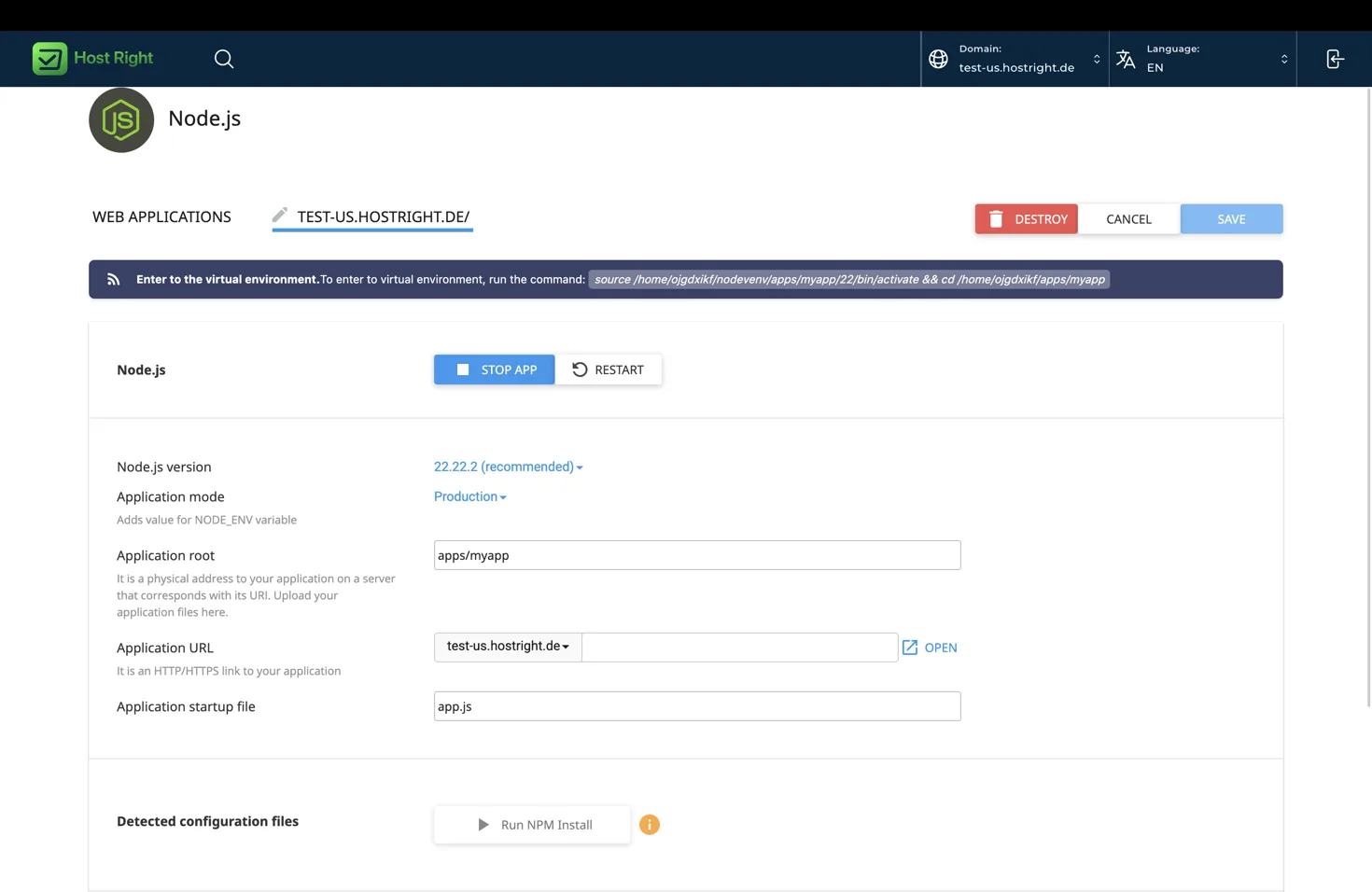
Create the HostRight Control Panel application
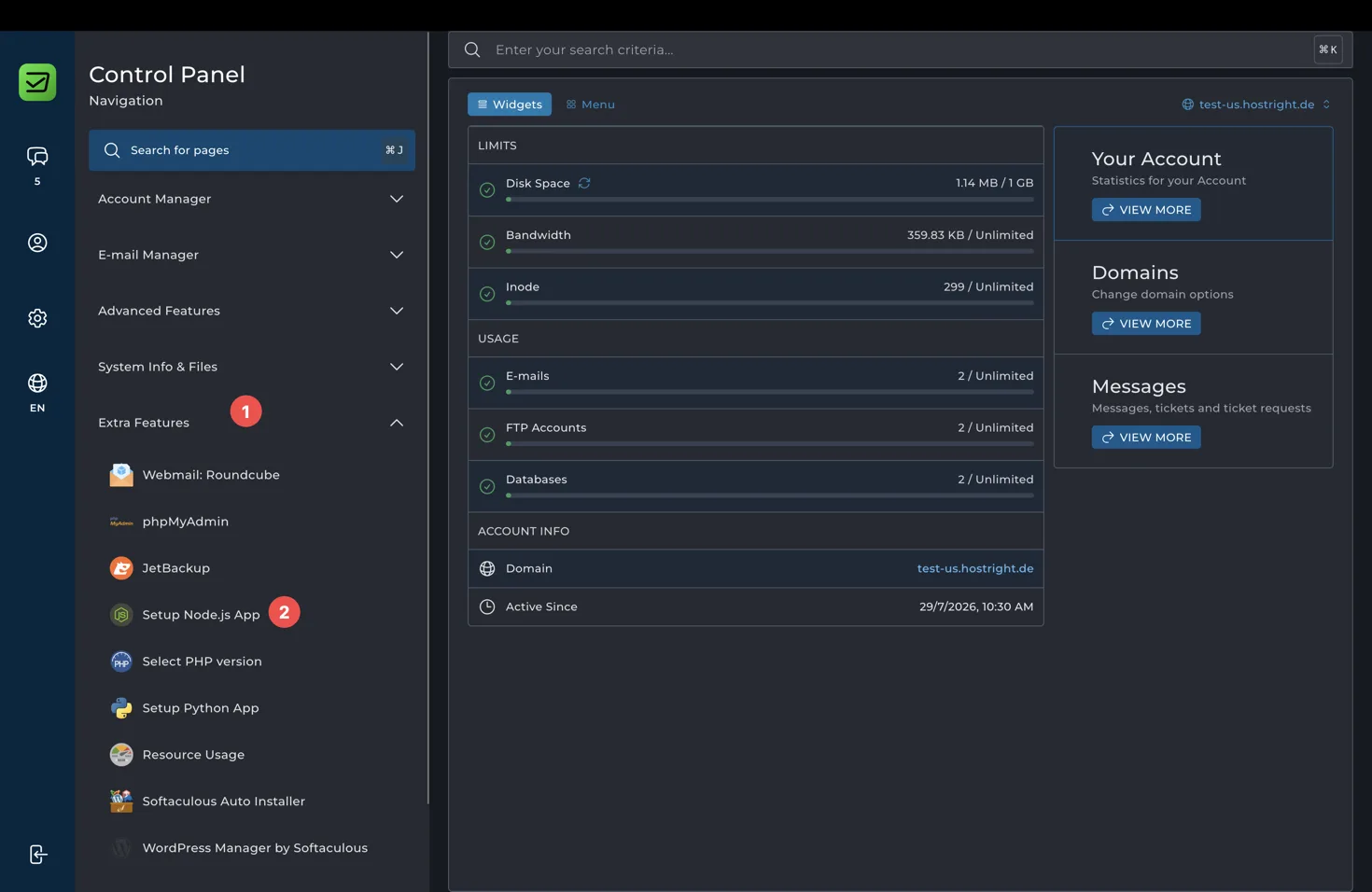
Open Extra Features > Setup Node.js App and select Create Application.
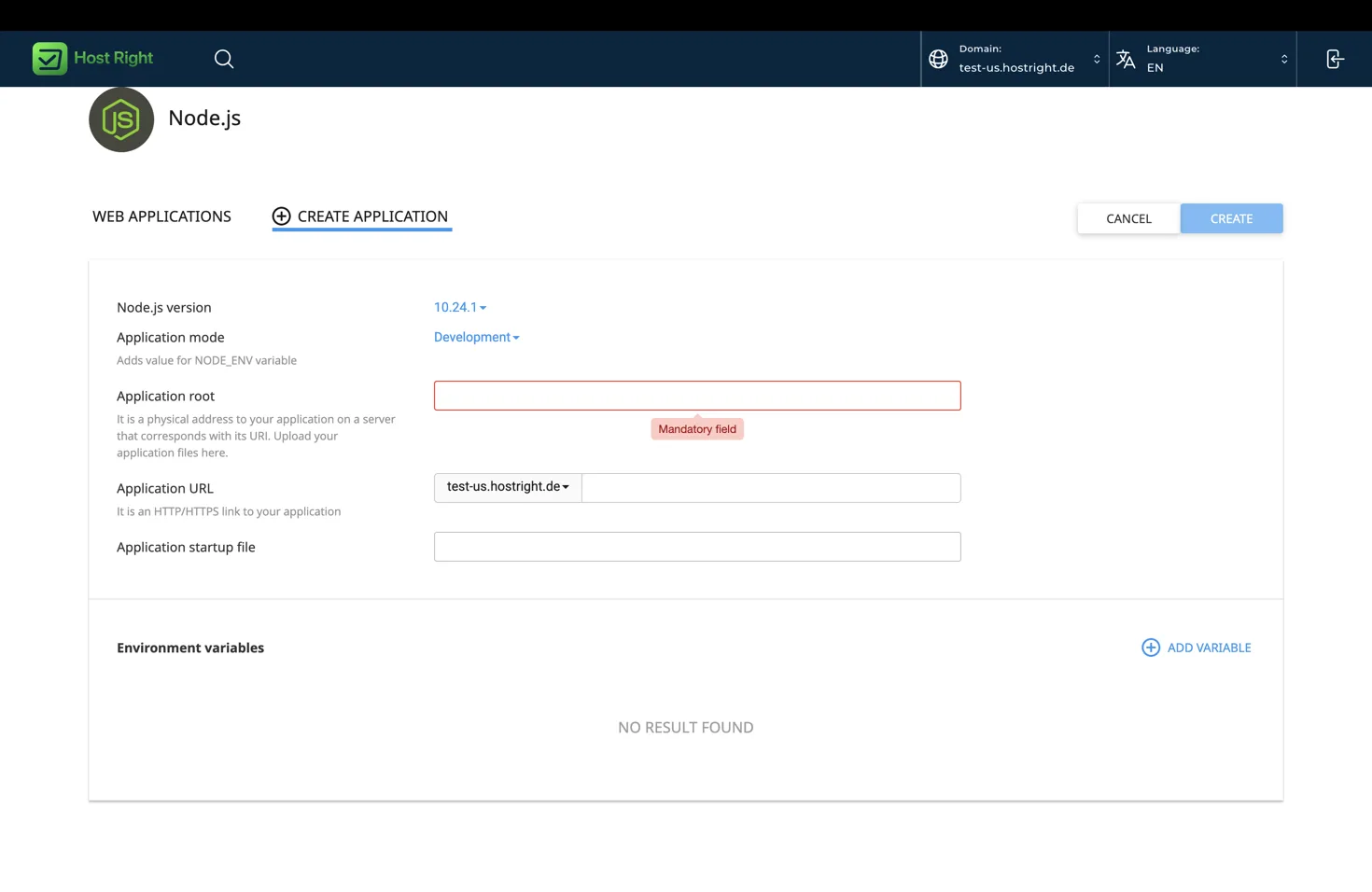
Use:
| Field | Server-rendered value |
|---|---|
| Node.js version | A version supported by your Nuxt release |
| Application mode | Production |
| Application root | apps/nuxt-site |
| Application URL | example.com |
| Startup file | server.mjs |
Create server.mjs in the project root:
import './.output/server/index.mjs';
If your Nuxt version expects a different entry point, use the generated output documented by that version. Confirm it locally before creating the application.
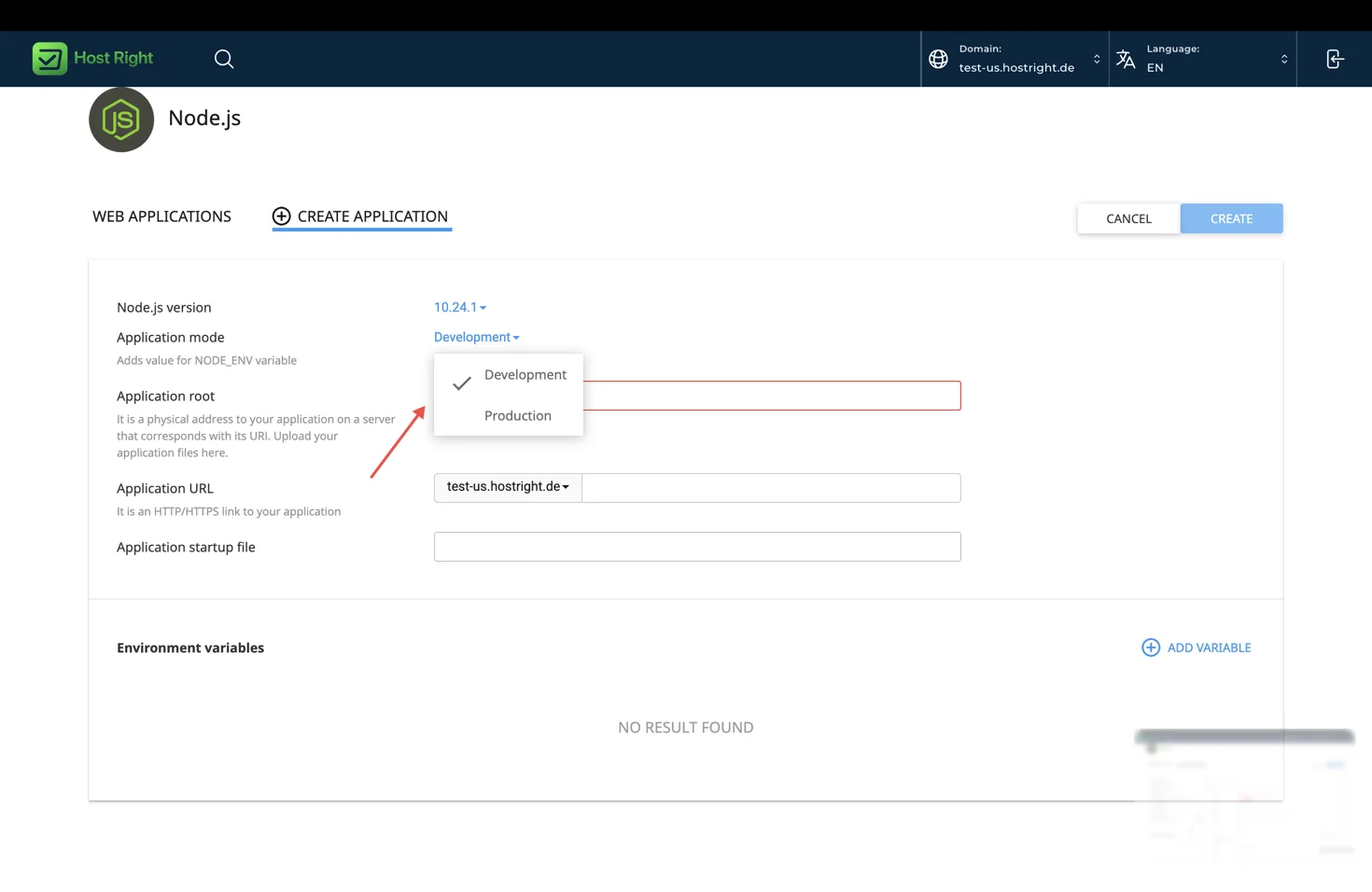
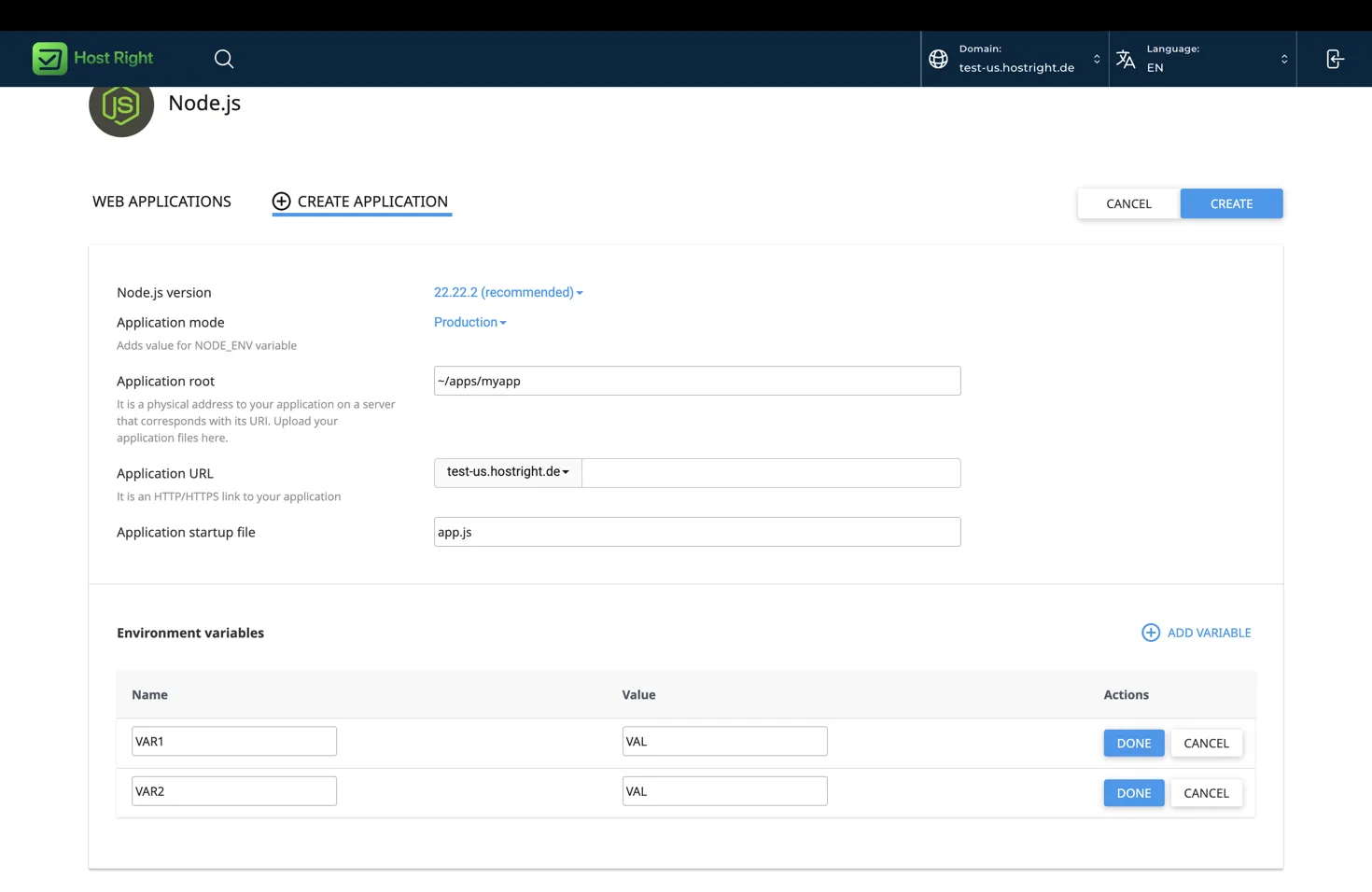
Select Production mode, add NODE_ENV=production and set any database, session or Redis variables.
Upload and restart
cd ~/apps
git clone YOUR_REPOSITORY_URL nuxt-site
cd nuxt-site
npm ci
npm run build
Use the environment command shown by HostRight Control Panel. Restart the application after building:
Use SFTP for manual uploads and SSH for commands. FTP is only a file-transfer fallback.
Static Nuxt deployment
Generate a static site:
npm ci
npm run generate
Nuxt writes the generated site to .output/public. Upload the contents of .output/public to domains/example.com/public_html. Do not create a Node.js application for this mode. Apache serves the output directly.
Static generation cannot use request-time server routes, cookies or server-only data. Move those features to build-time data or an external API. Confirm that every route is generated before publishing.
Public assets and runtime configuration
Put stable assets in public. Nuxt exposes them from the root URL. Use runtimeConfig for values that must remain private and do not place private credentials in public runtime configuration.
Server-rendered runtime values can be added in HostRight Control Panel environment variables. Static builds receive values during generation, so rebuild after changing a build-time variable.
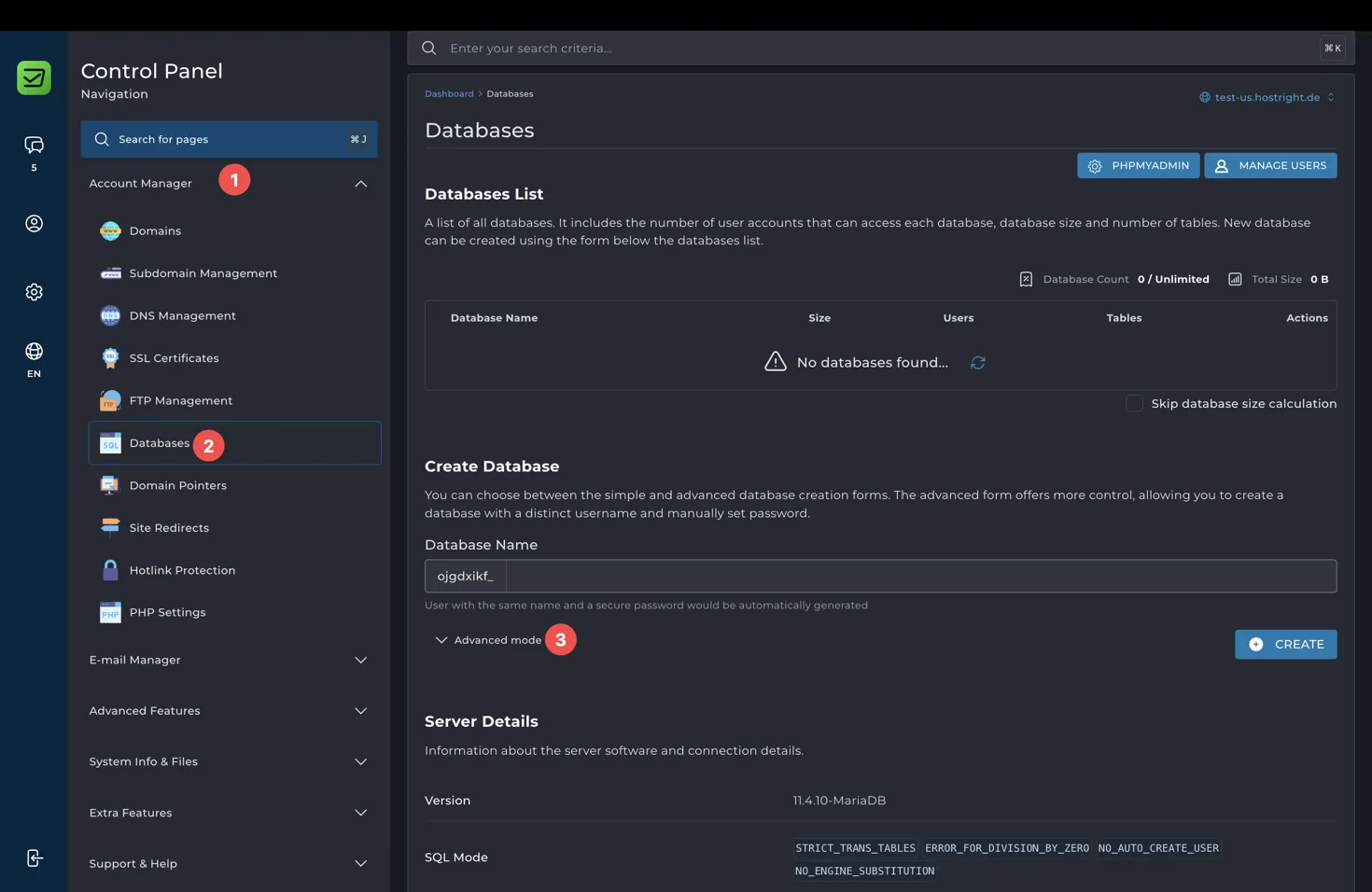
Database
Create the database and user in HostRight Control Panel, grant permissions, and add the connection details as environment variables. Run migrations from the private application root before restarting:
npm run migrate
Only server-rendered Nuxt code should connect directly to the database. Static Nuxt pages should call a protected external API instead.
Use the database management guide for the panel-specific creation steps after this basic setup.
Redis
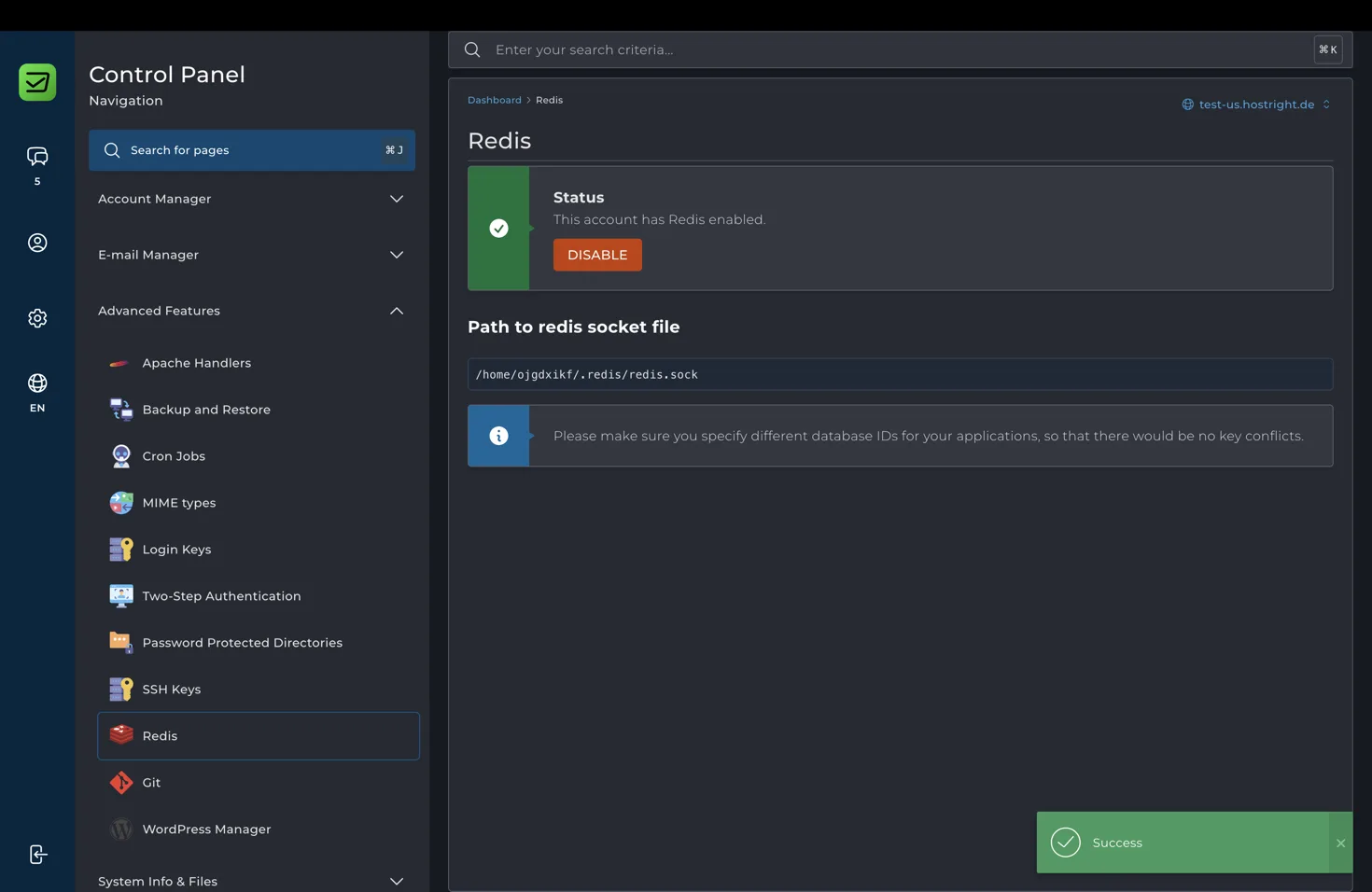
Redis is optional. In server-rendered mode it can store sessions, cache values, queues and rate-limit counters. Enable Redis in the panel, copy the account-specific socket or connection value, and add REDIS_URL to the application environment.
Configure the client only in server-side Nitro code:
import { createClient } from 'redis';

const client = createClient({ url: process.env.REDIS_URL });
await client.connect();
Static Nuxt output does not need Redis because no Node.js process runs at request time. The Redis guide contains the socket details after this basic setup.
SSL and launch checklist
Point DNS to HostRight, issue SSL, and verify HTTPS. Use secure cookies and correct proxy handling for server-rendered sessions. Complete the SSL certificate guide.
Before launch:
- Confirm the selected mode is server-rendered or static.
- Confirm the startup file exists for server mode.
- Confirm .output/server exists for server mode.
- Confirm .output/public was copied for static mode.
- Test database migrations.
- Test Redis only if the application uses it.
- Test the domain over HTTPS.
Troubleshooting
Server mode fails to start: run node .output/server/index.mjs inside the managed environment and inspect missing variables or modules.
Static pages are missing: upload the contents of .output/public, not the directory itself.
A route works in development but not static mode: it likely requires request-time rendering or a server route.
Environment changes have no effect: rebuild static output or restart server mode according to when the variable is consumed.