
Application hosting
Drupal hosting
A starting guide for running a Drupal website with HostRight.
Drupal on HostRight
Drupal can be installed as a PHP application through the guided application installer. Use this page to find the setup and maintenance guidance for your Drupal project.
Drupal is a PHP application for structured content and editorial workflows. Softaculous creates the initial files and database through a guided form, while the application dashboard handles day-to-day configuration.
Access Softaculous and search
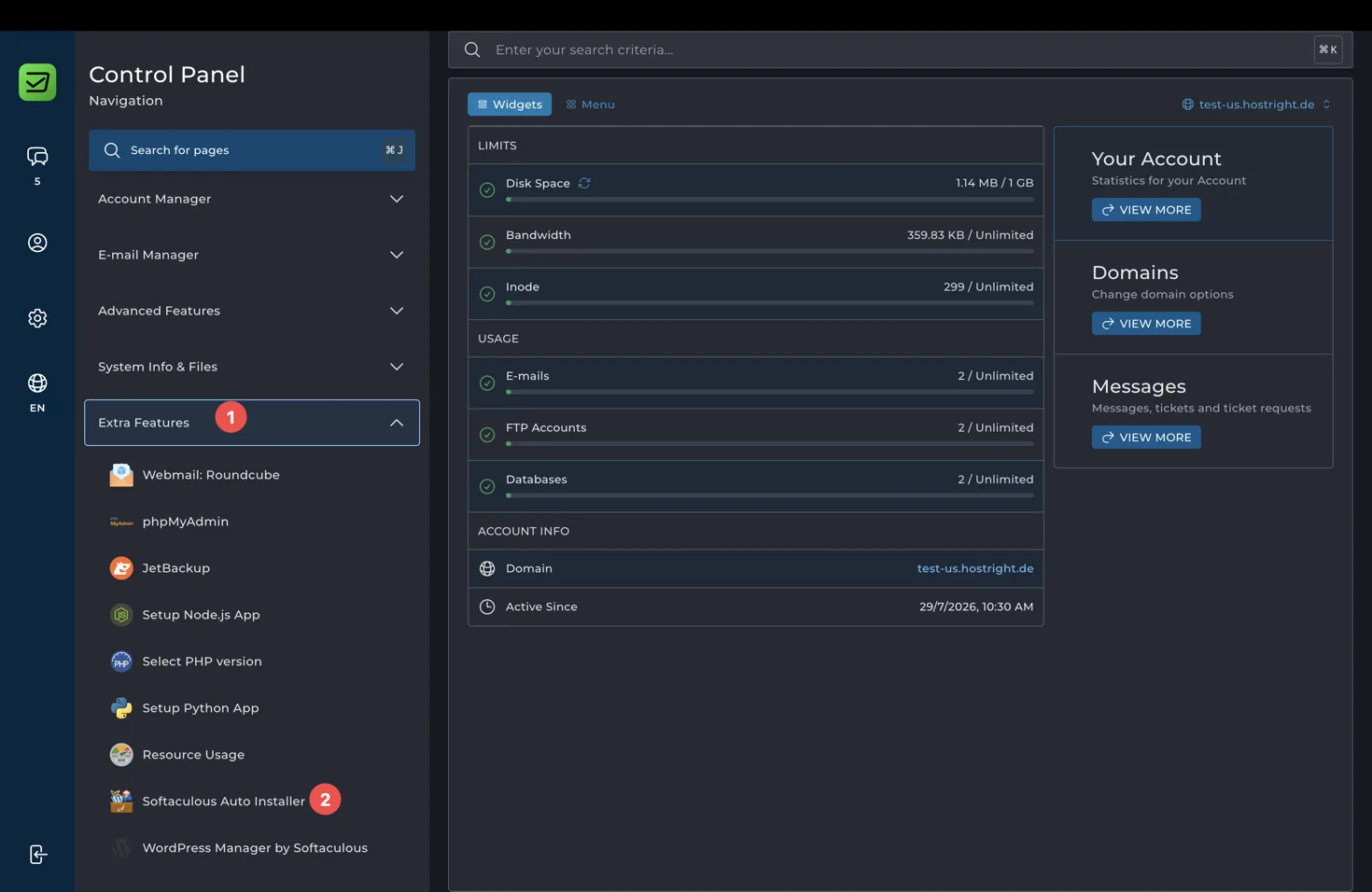
Open Extra Features in the Control Panel and select Softaculous Auto Installer.
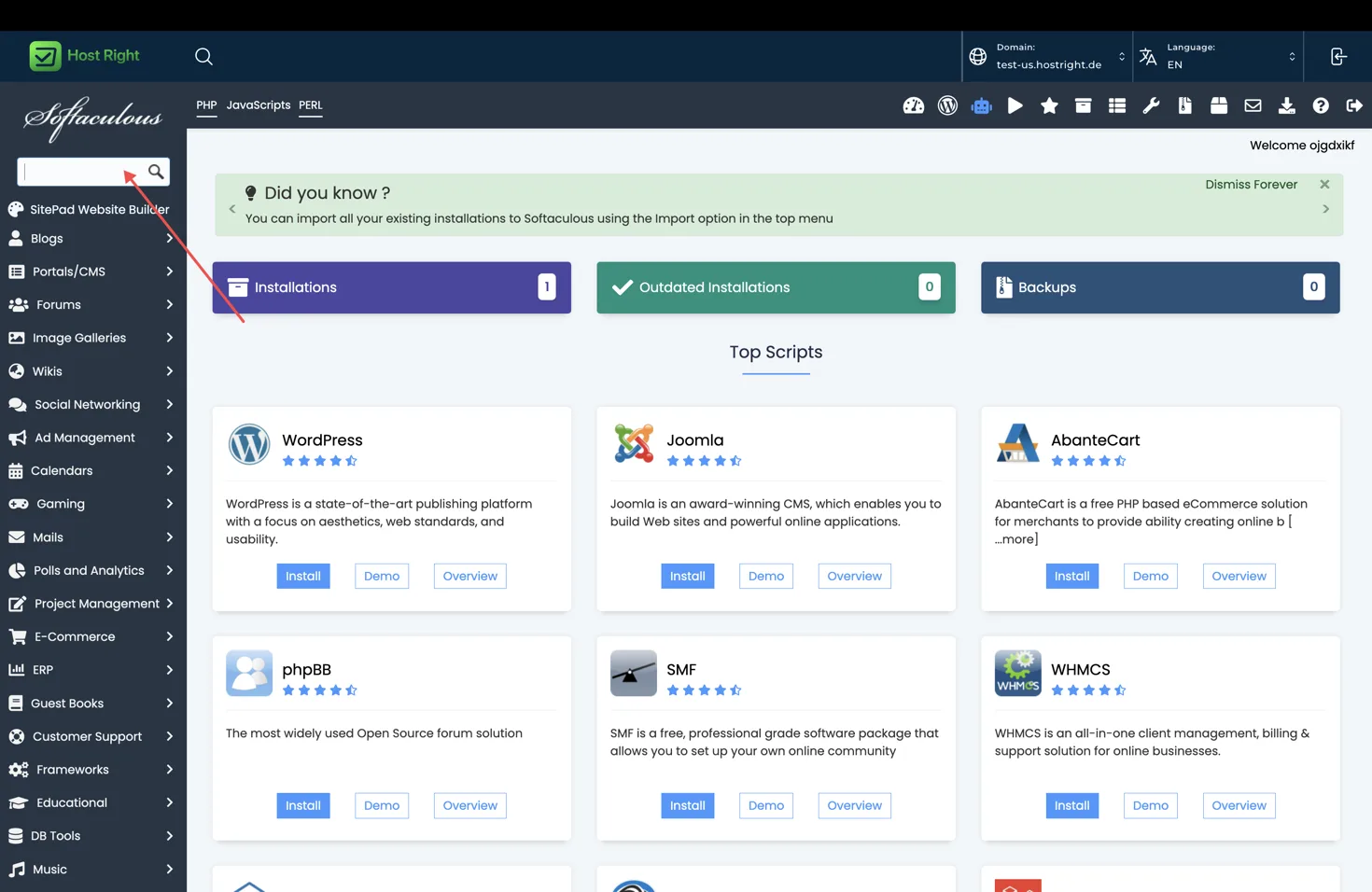
Search for Drupal, open its overview, and select Install.
Install with Softaculous
Choose the HTTPS protocol, domain and optional directory. Enter the application name, administrator account, strong password and administrator email. Review the generated database name, user and table prefix before selecting Install.
Wait for the progress screen to finish, then save the application URL, administrator URL and credentials. Do not close the page while the installer is writing files.
First configuration
Sign in to the administrator dashboard, remove sample content, set the timezone and site URL, configure email delivery, and install only the extensions you need. Confirm that the application can write to its required directories.
Database, files and backups
Softaculous creates the initial database. Use database management for database access and SFTP for encrypted file transfers. Take a backup before updating the application or installing a major extension.
Redis and SSL
Redis is optional for this application. If its documentation and installed version support Redis, enable Redis in the HostRight panel and configure the socket or connection value for cache or sessions. Do not use Redis as the permanent database. See Redis setup after this basic feature overview.
Enable HTTPS before collecting passwords, payments or private data. Complete SSL setup.
Updates and removal
Keep the application and extensions current, review compatibility before updates, and keep a tested backup. Softaculous can provide installation-level actions such as backup, restore or removal when supported. Treat removal as destructive.
For the shared installer workflow, see one-click applications.