
Application hosting
Host PHP Applications with PHP, Databases, Redis, and Cron Jobs
Deploy custom PHP applications and frameworks with PHP version selection, extensions, Composer, MariaDB, Redis, SSL, Git, SSH, and scheduled tasks.
HostRight provides a managed PHP environment for websites and applications that need PHP, Composer, a database, Redis, scheduled tasks, and a conventional public web directory. You can deploy a custom PHP project or use a framework such as Laravel, Symfony, CodeIgniter, or Yii without managing a VPS.
The platform handles the server and PHP service. You manage the application code, dependencies, environment variables, database schema, users, and framework updates.
What HostRight provides
- Selectable PHP versions and per-domain PHP settings
- Common PHP extensions, including PDO database drivers, cURL, mbstring, JSON, XML, GD, and ZIP where enabled
- Composer for dependency installation
- MariaDB/MySQL-compatible databases
- Redis for cache, sessions, queues, and short-lived state
- SSL certificates and domain management
- Git, SSH, SFTP, FTP, and file management
- Cron Jobs for framework schedulers, maintenance, imports, and reports
- Backups through JetBackup and Backup and Restore
The exact PHP versions, extensions, account limits, and resource availability depend on the active service. The account dashboard shows current limits and usage.
1. Prepare the PHP project
Keep application source code, .env files, Git metadata, and dependencies outside the public web directory. Point the domain's document root only at the folder intended for public files.
For a framework application, the public directory is commonly:
apps/example-app/public
For a custom PHP application, use a private project directory with a small public directory containing the front controller, assets, and public files.
Use Git or SFTP to deploy. Do not upload secrets into a public directory or commit them to the repository.
2. Choose the PHP version and extensions
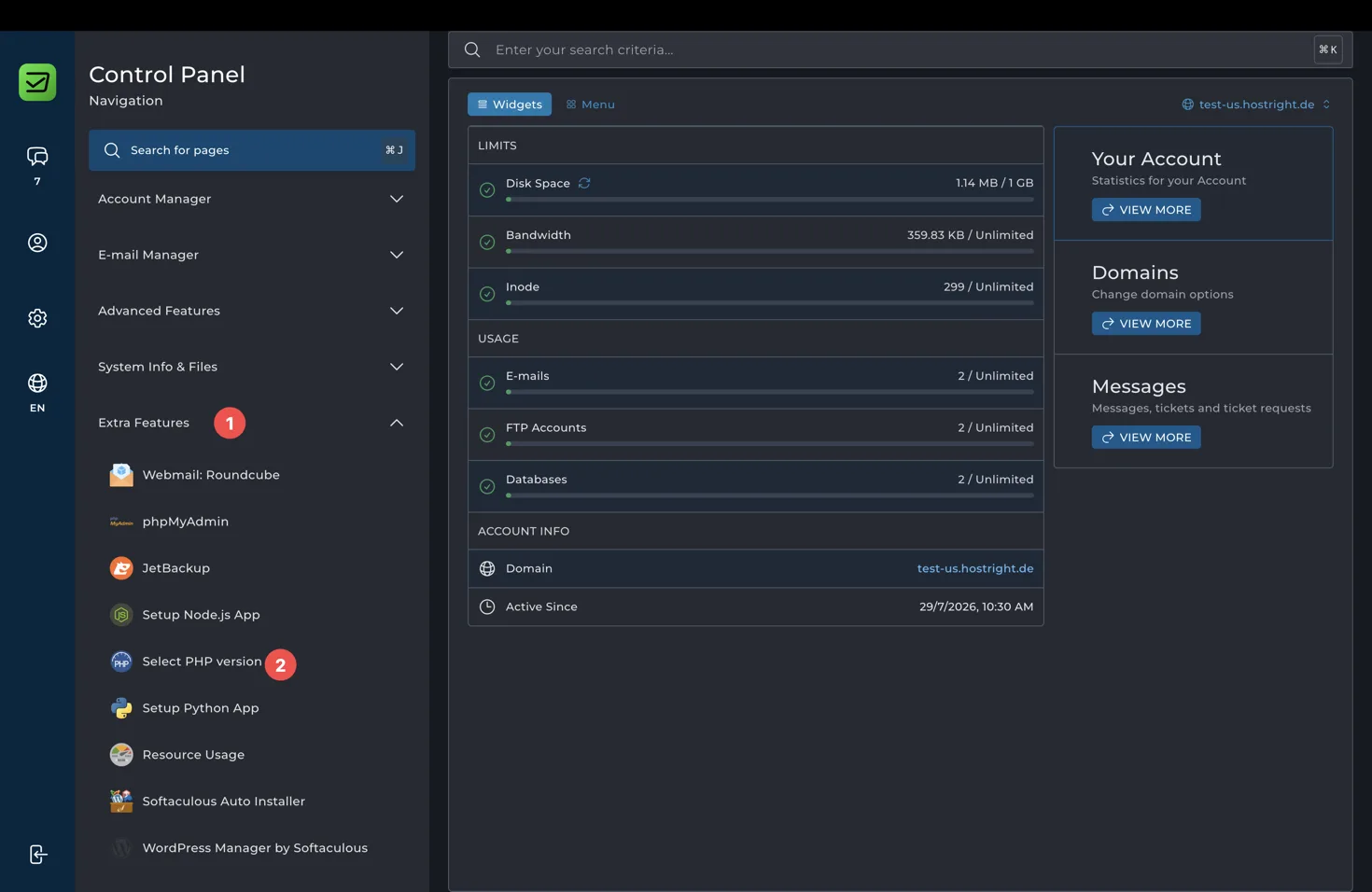
In the Control Panel, expand Extra Features and select Select PHP version. Use Account Global Settings when the same PHP version and extension set should apply to the account.
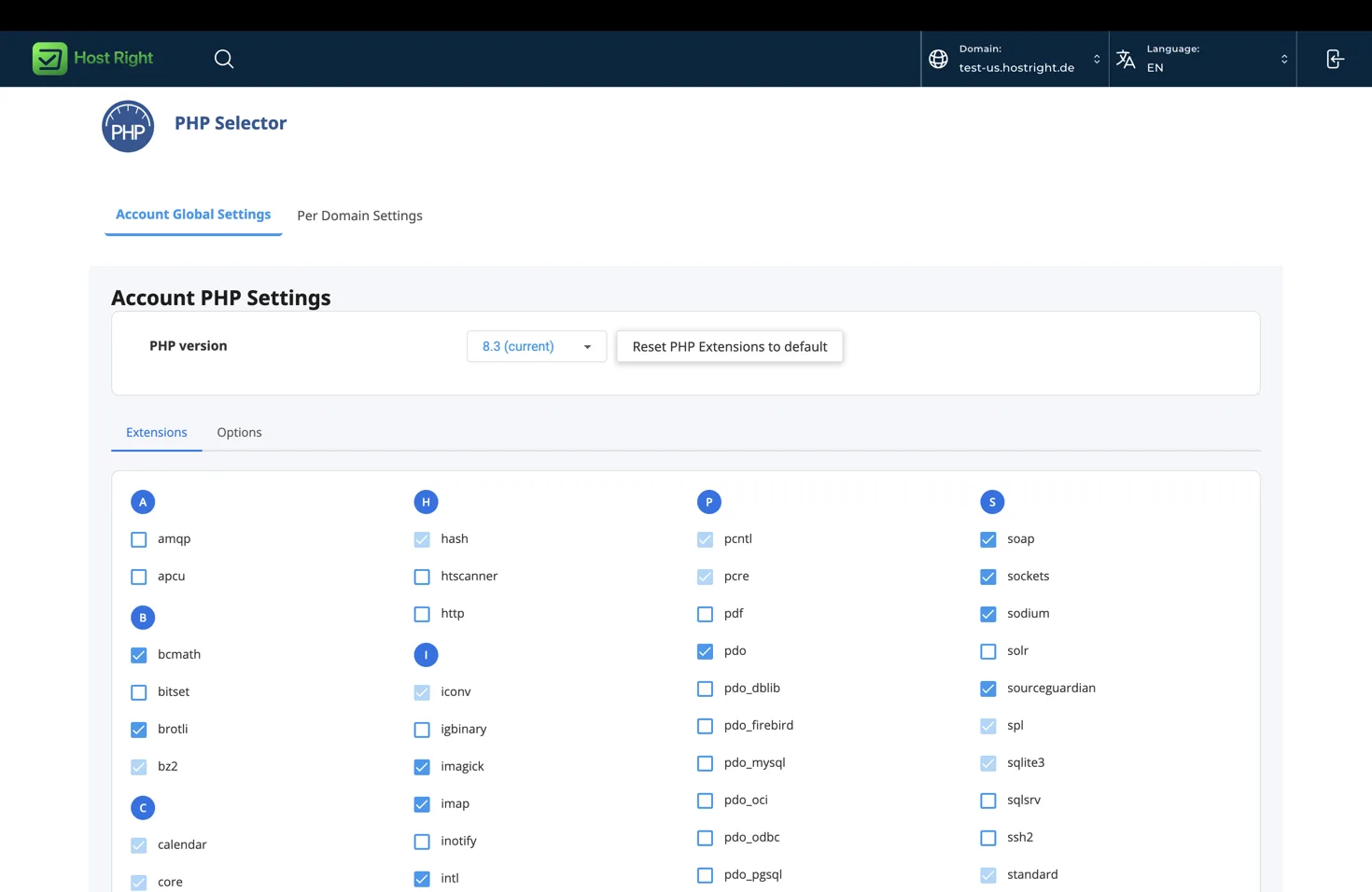
Choose the PHP version supported by your application and dependencies. Test a version upgrade before applying it to production.
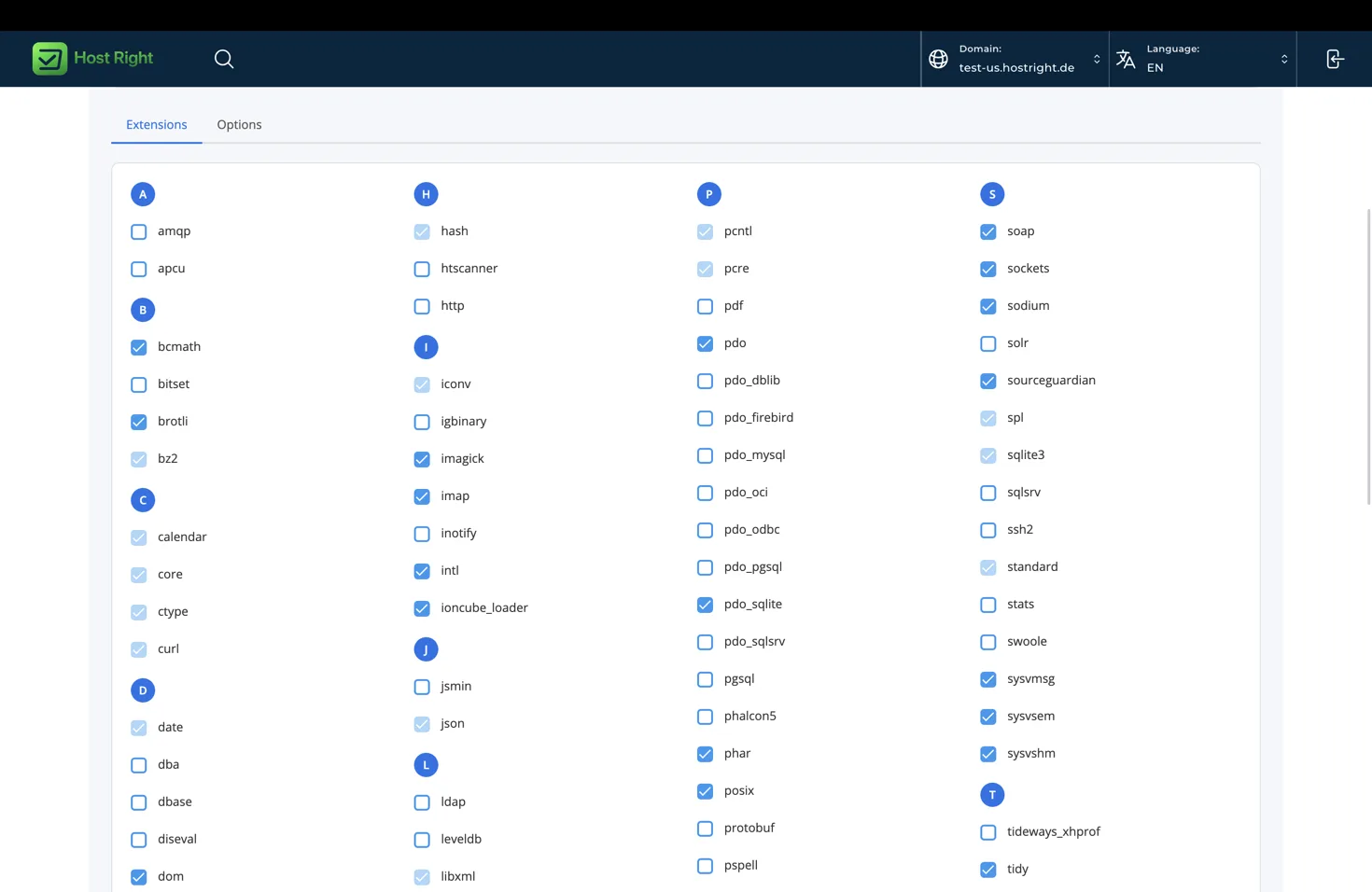
Use the Extensions tab to enable only the extensions the application requires. Framework applications commonly need curl, fileinfo, mbstring, openssl, pdo, a database driver such as pdo_mysql, tokenizer, xml, and zip.
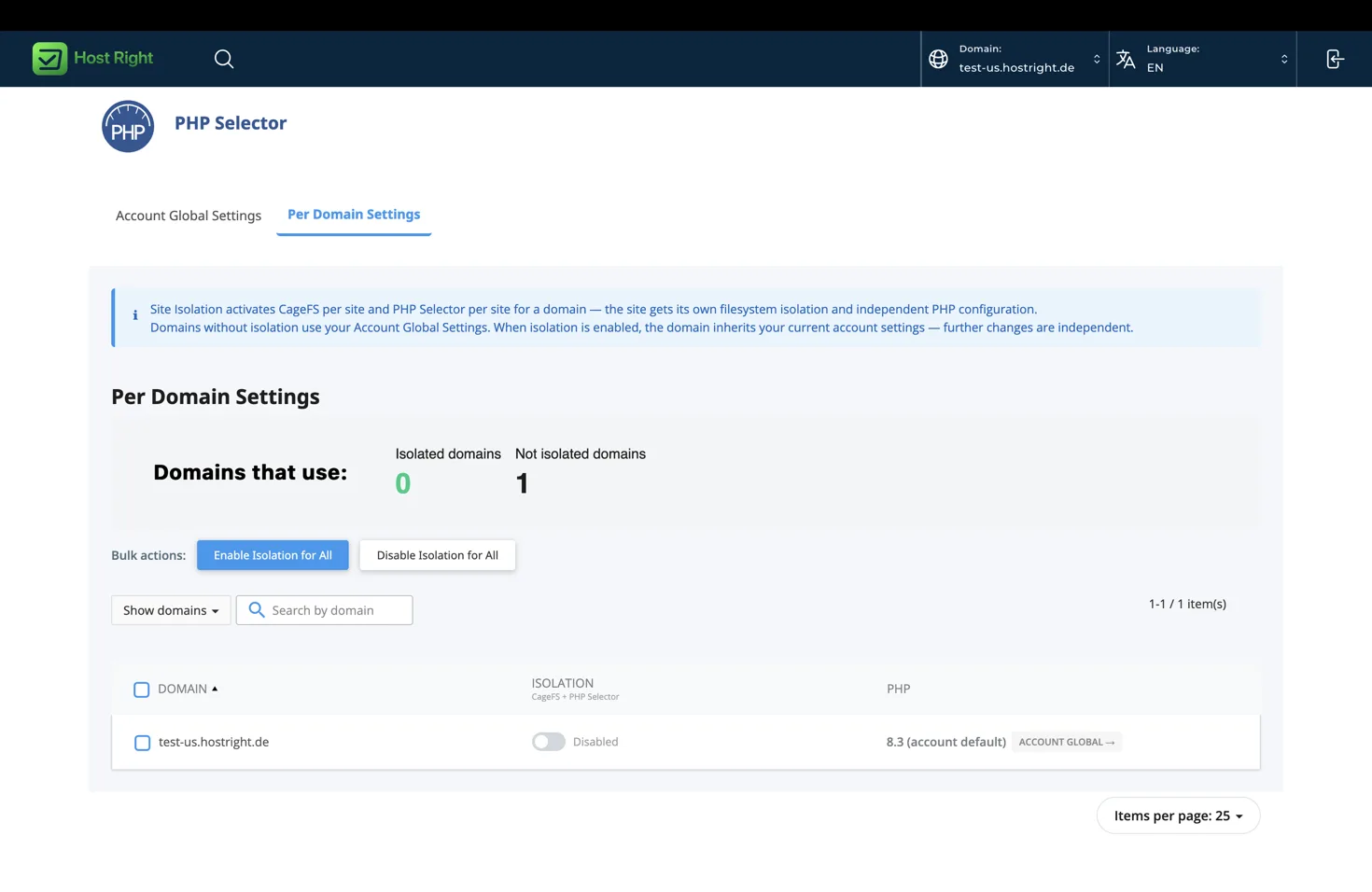
If domains need different PHP versions or extension sets, use Per Domain Settings. Site isolation may affect which per-domain options are available.
3. Configure PHP settings
For PHP directives such as memory_limit, upload_max_filesize, post_max_size, and max_execution_time, open Account Manager → PHP Settings. Select the setting and value, then choose Add.
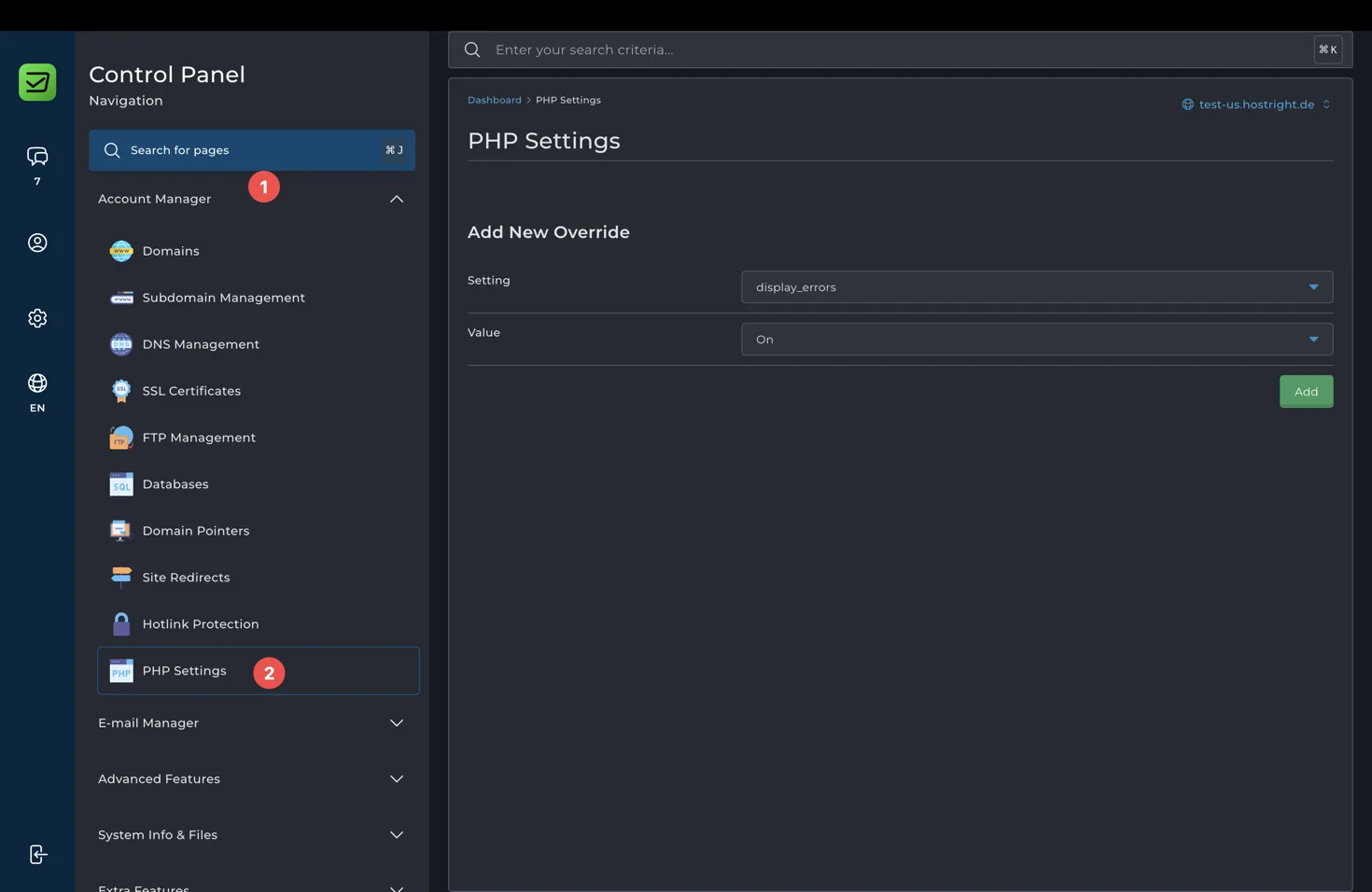
Keep display_errors disabled on production websites. Use application logs and the Control Panel logs when diagnosing errors. Increase upload and memory limits only when the application requires it and the account resources support it.
4. Install dependencies with Composer
From SSH, move into the private project directory and install production dependencies:
cd ~/apps/example-app
composer install --no-dev --optimize-autoloader
Use the PHP version selected for the application. If Composer reports a missing extension, enable the required extension in PHP Selector or choose a compatible PHP version.
5. Create the database and configure Redis
Create a database and user under Account Manager → Databases. Copy the exact database host, name, username, and password into protected environment variables. Do not put database credentials in public files or source control.
Enable Redis under Advanced Features → Redis and copy the account-specific Unix socket path. Redis is useful for cache, sessions, queues, locks, and rate limiting; keep permanent records in the database.
See create and manage a database and enable and use Redis for detailed service setup.
6. Configure scheduled tasks
Use Advanced Features → Cron Jobs for recurring framework commands, cleanup, imports, reports, and maintenance. Use absolute paths and the PHP binary for the selected version where the hosting environment requires it.
Read run scheduled tasks with Cron Jobs before creating a job. It includes safe examples, schedule fields, output handling, and the Laravel scheduler command.
7. Enable SSL and deploy
Point the domain to HostRight, request or install the certificate, and test the site over HTTPS. Run framework migrations and cache commands from SSH, then restart or reload services only when the application workflow requires it.
Test:
- The homepage and public assets
- Database reads and writes
- Login, forms, uploads, and email
- Redis cache or sessions, if enabled
- Scheduled commands and their output
- HTTPS redirects and secure cookies