
Application hosting
Deploy Bottle with Phusion Passenger
Deploy a compact Bottle application on HostRight with HostRight Control Panel, Passenger, SSH, SFTP, FTP, dependencies, environment variables, and production checks.
Bottle on HostRight
Bottle is useful for small websites, APIs, prototypes, and focused internal tools. HostRight runs Bottle through a WSGI callable managed by Phusion Passenger.
Start with the Python deployment guide for the shared setup.
Create the project
Keep the application outside the domain's public folder:
apps/example-bottle/
├── app.py
├── passenger_wsgi.py
└── requirements.txt
Example app.py:
from bottle import Bottle

app = Bottle()

@app.get("/healthz")
def healthz():
    return {"status": "ok"}
Transfer the code with Git or SFTP. Use FTP only for file transfer when SSH is not available.
Configure Passenger
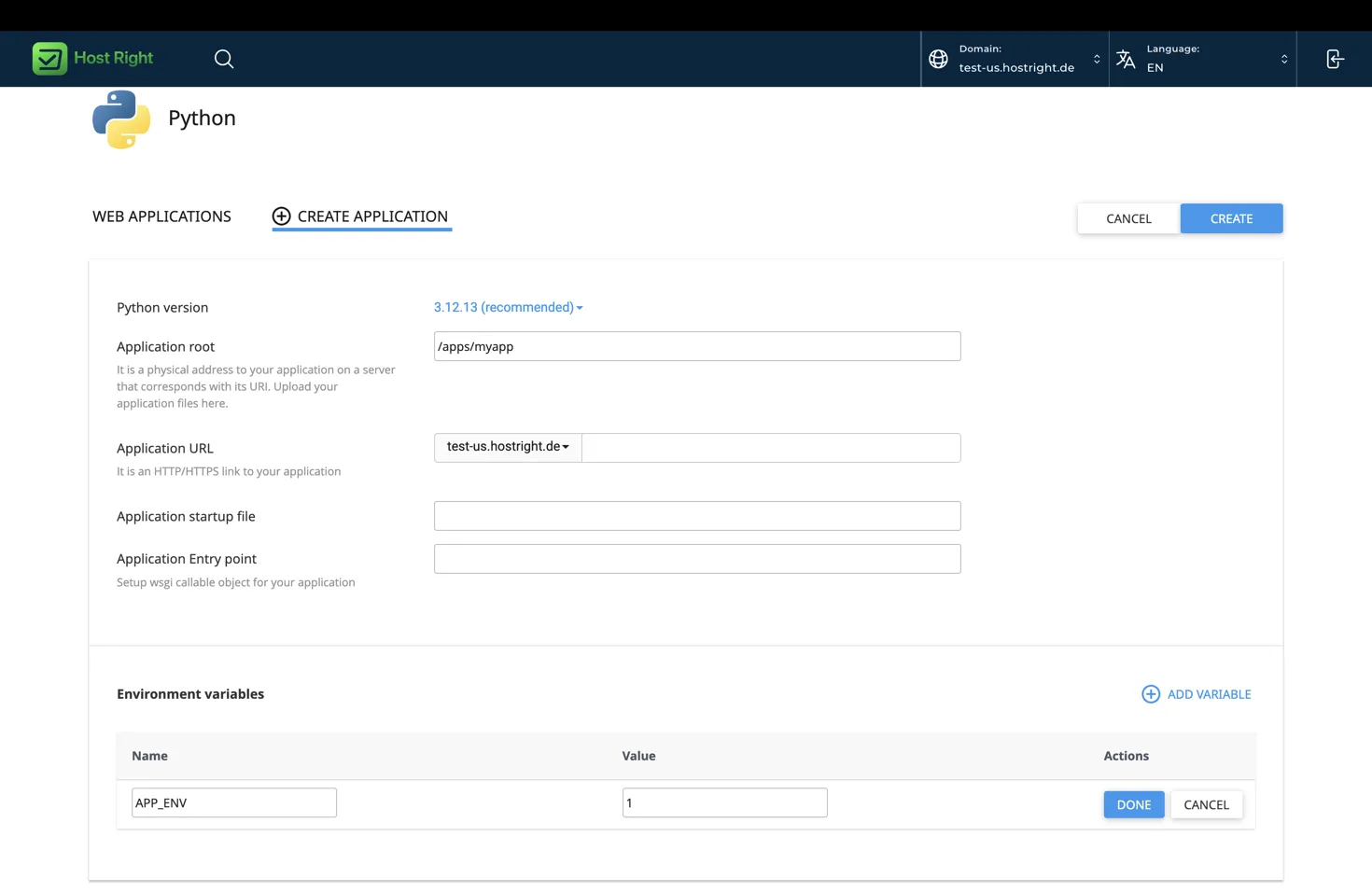
In HostRight Control Panel, select Extra Features → Setup Python App → Create Application:
Application root: apps/example-bottle
Application startup file: passenger_wsgi.py
Application entry point: application
Create passenger_wsgi.py:
from app import app as application
Install and deploy
cd ~/apps/example-bottle
source ~/virtualenvs/example-bottle/bin/activate
python -m pip install -r requirements.txt
python -c "import passenger_wsgi; print(passenger_wsgi.application)"
Use environment variables for secrets, database connections, and API credentials. Do not start Bottle with run() in production. Passenger loads the WSGI callable from the startup file.
Add database, Redis, and SSL
Create a database and user under Account Manager → Databases and configure the exact host, name, user, password, and port through environment variables. See Create and manage a database.
Enable Redis under Advanced Features → Redis and configure Bottle's cache or session client with the Unix socket path shown by the Control Panel. Use a separate Redis database ID for this application. See Enable and use Redis.
After the domain points to HostRight, request a certificate under Account Manager → SSL Certificates and test the Bottle URL over HTTPS. See the SSL setup instructions.
After a release, reload the application in HostRight Control Panel and test the public URL, health endpoint, static files, forms, database operations, and error handling.
Use a migration tool when the application has persistent data. Keep uploads outside a Git release directory when they must survive deployments.