
Application hosting
Joomla hosting
A starting guide for running a Joomla website with HostRight.
Joomla on HostRight
Joomla is a PHP content management system for sites that need structured content, menus, user roles and extensions. Softaculous can create the Joomla files and database through a guided form.
Before installation
Connect your domain, enable SSL, and decide whether Joomla should use the root URL or a directory such as /joomla. Keep the application in its own directory and reserve storage for extensions, media and backups.
Access Softaculous and search
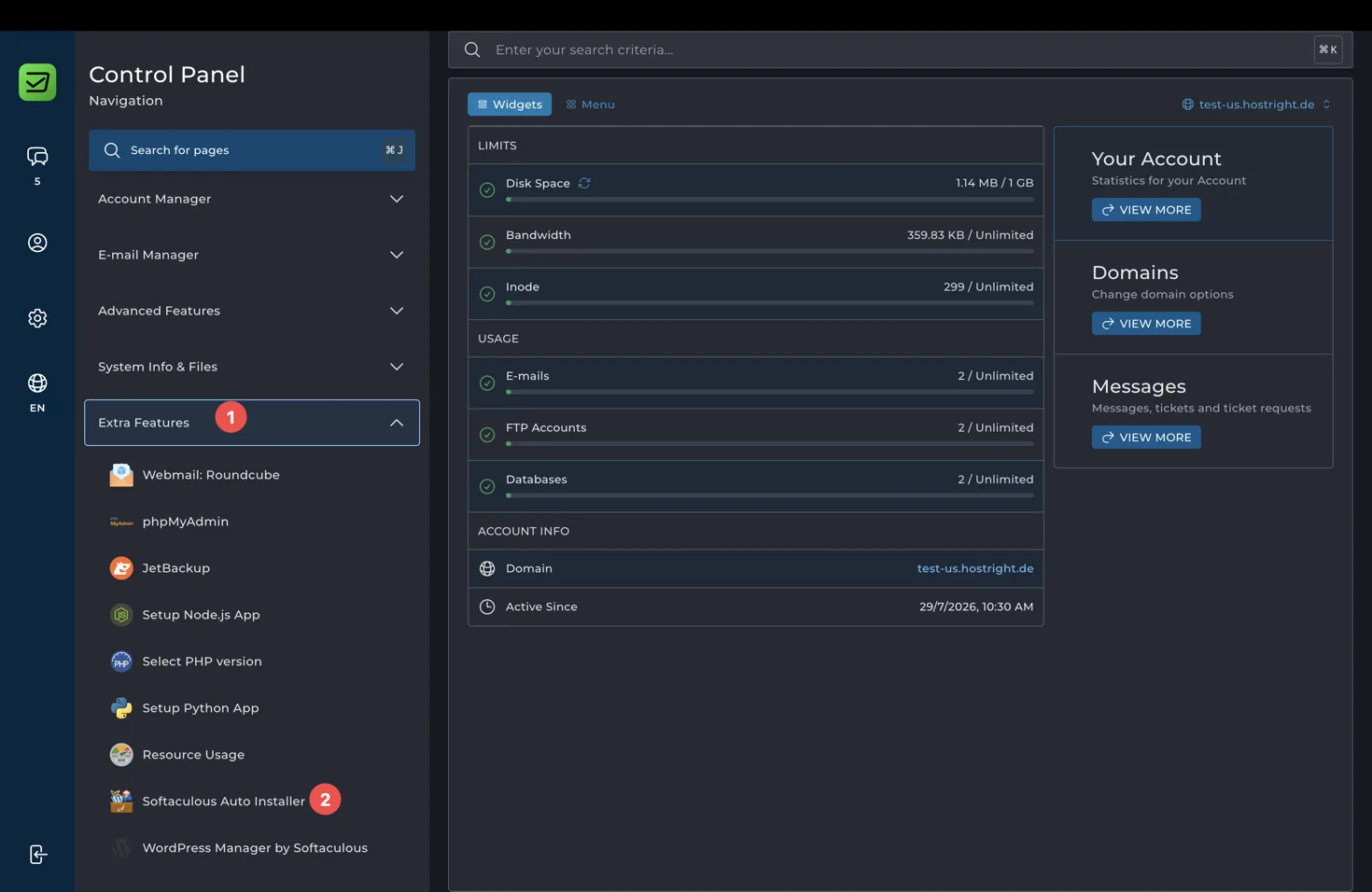
Open Extra Features in the Control Panel and select Softaculous Auto Installer.
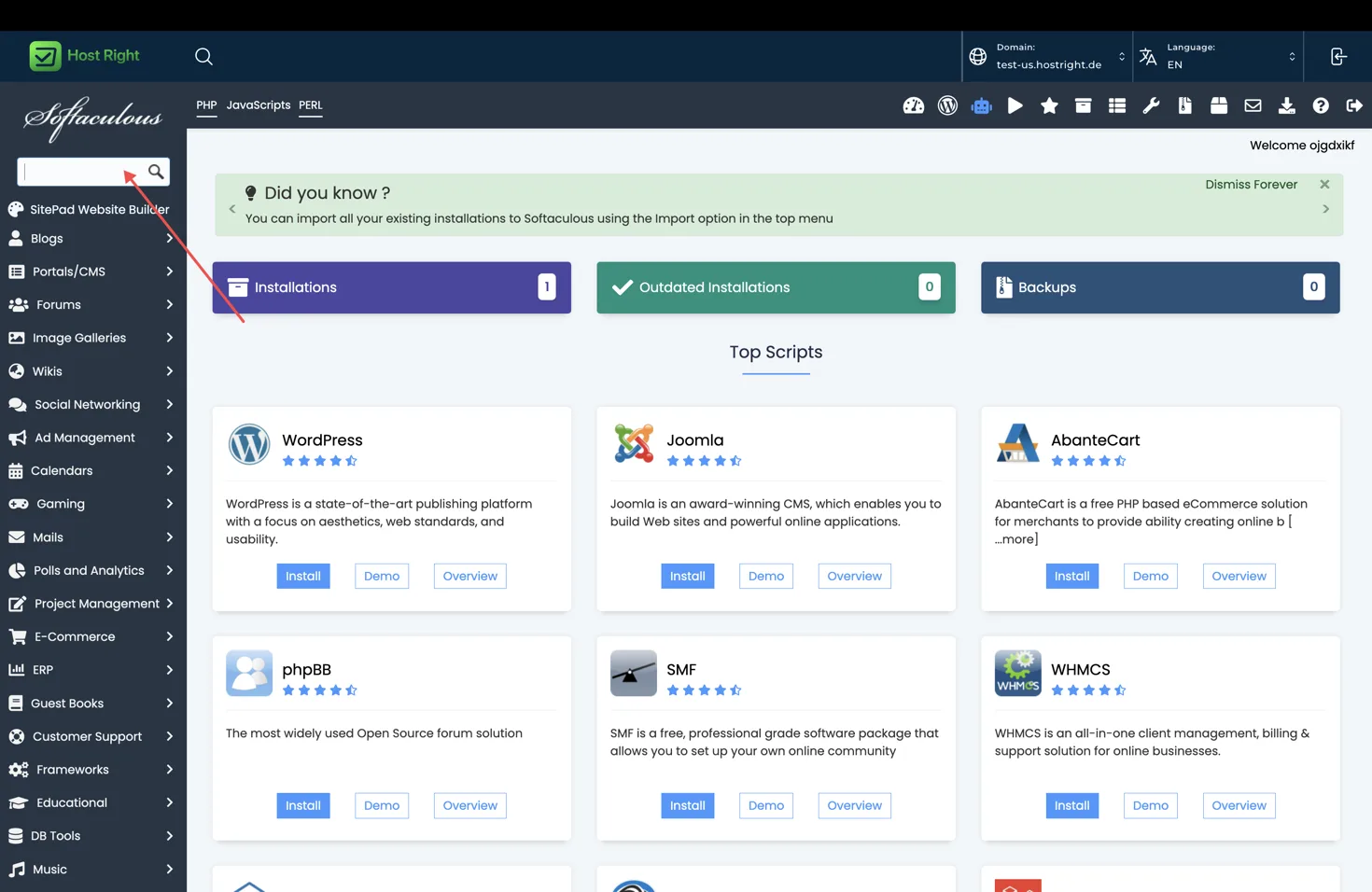
Search for Joomla or open Portals/CMS, then select Joomla and Install.
Install Joomla with Softaculous
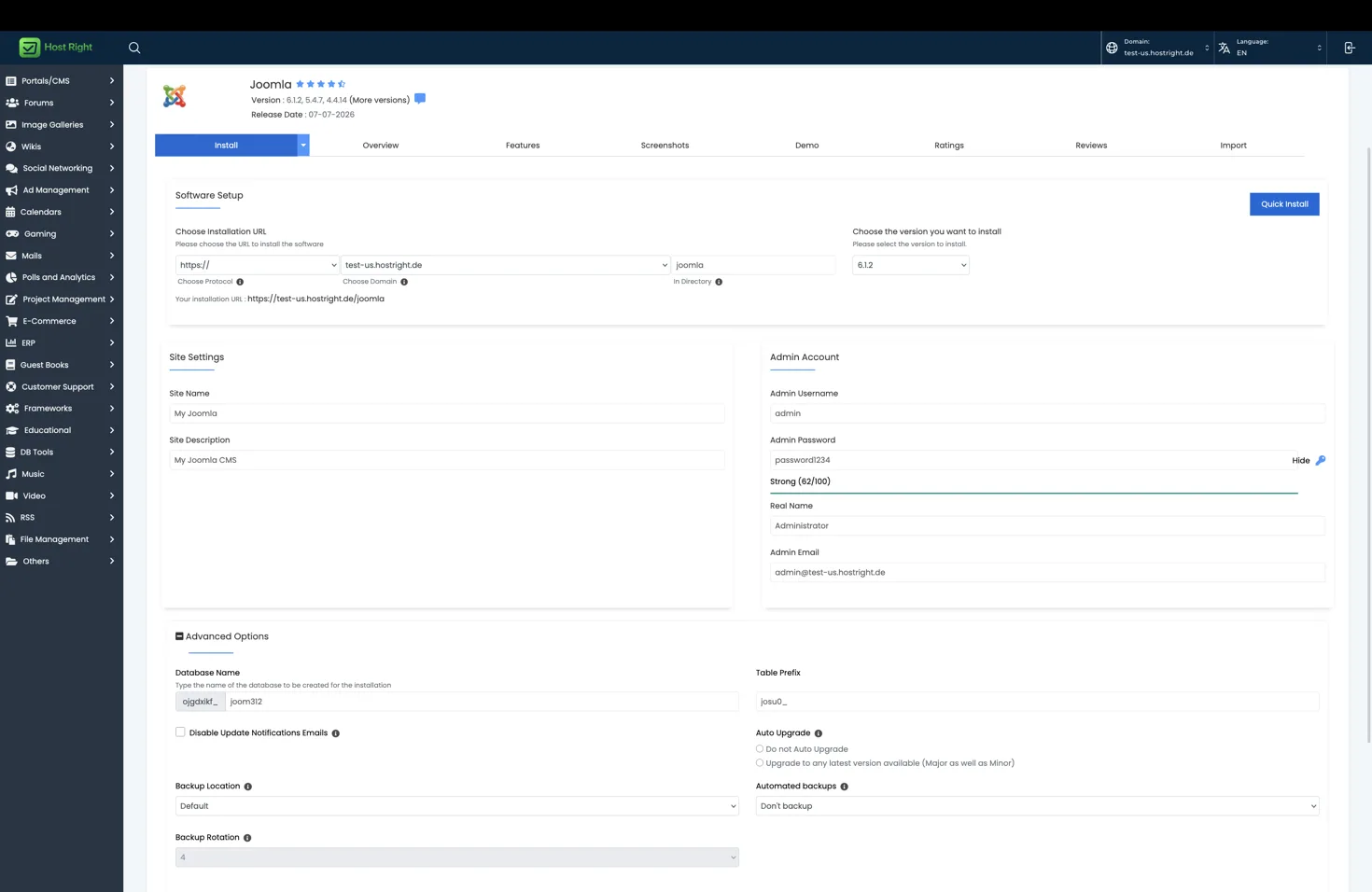
Complete the form:
- Choose https and your domain.
- Leave the directory empty for the root domain, or enter a directory such as joomla.
- Select a supported Joomla version.
- Enter the site name and description.
- Create a unique administrator username and strong password.
- Enter an administrator email.
- Review the database name and table prefix.
- Select an update and backup policy.
Select Install and wait for the progress screen. Save the frontend URL, administrator URL, username and password shown after completion.
First configuration
Open the administrator URL, remove sample content you do not need, configure global settings, set the correct timezone, and verify that friendly URLs work. Confirm that the administrator email can receive password reset messages.
Database, files and Redis
Softaculous creates a database during installation. Use database management to inspect the database or create an additional one. Use SFTP for template and extension uploads, and do not edit production files without a backup.
Joomla does not require Redis for a basic site. If you enable Redis through HostRight, use it for cache only after confirming that the Joomla version and cache adapter support the available Redis connection. See Redis setup after the basic installation.
Updates, backups and SSL
Keep Joomla core, extensions and templates updated, but take a backup before major updates. Enable HTTPS and set the site URL and cookie settings consistently. Complete SSL setup.
For the shared Softaculous flow, see one-click applications.