
Application hosting
One-click apps
Choose a popular open-source application and get started with a guided installation.
Start with a proven application
HostRight includes Softaculous under Extra Features. It provides a searchable catalog of applications and a guided installer that creates the files, database and initial configuration for many PHP applications.
Use Softaculous when you want a quick first installation. Use the application's own manager or dashboard for ongoing maintenance when it provides one. WordPress has two supported paths: WordPress Manager is the preferred HostRight-specific management tool, while Softaculous is an alternate installer and installation manager.
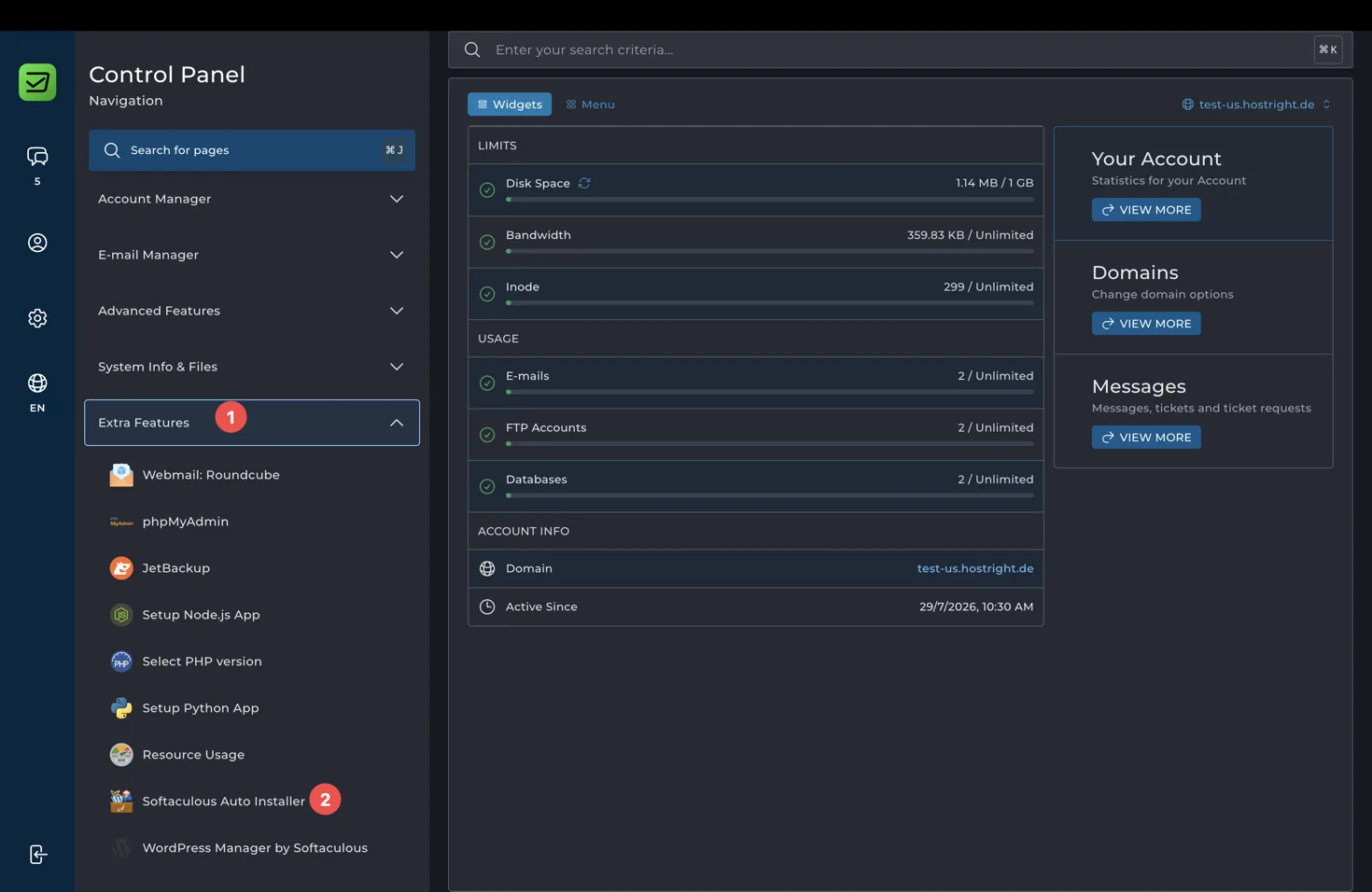
How the one-click flow works
- Open Extra Features > Softaculous Auto Installer.
- Search for the application or choose a category.
- Open the application overview and select Install.
- Choose the protocol, domain and optional directory.
- Enter the site name, administrator account and email.
- Review database, backup and update options.
- Select Install, wait for the progress screen, and save the access details.
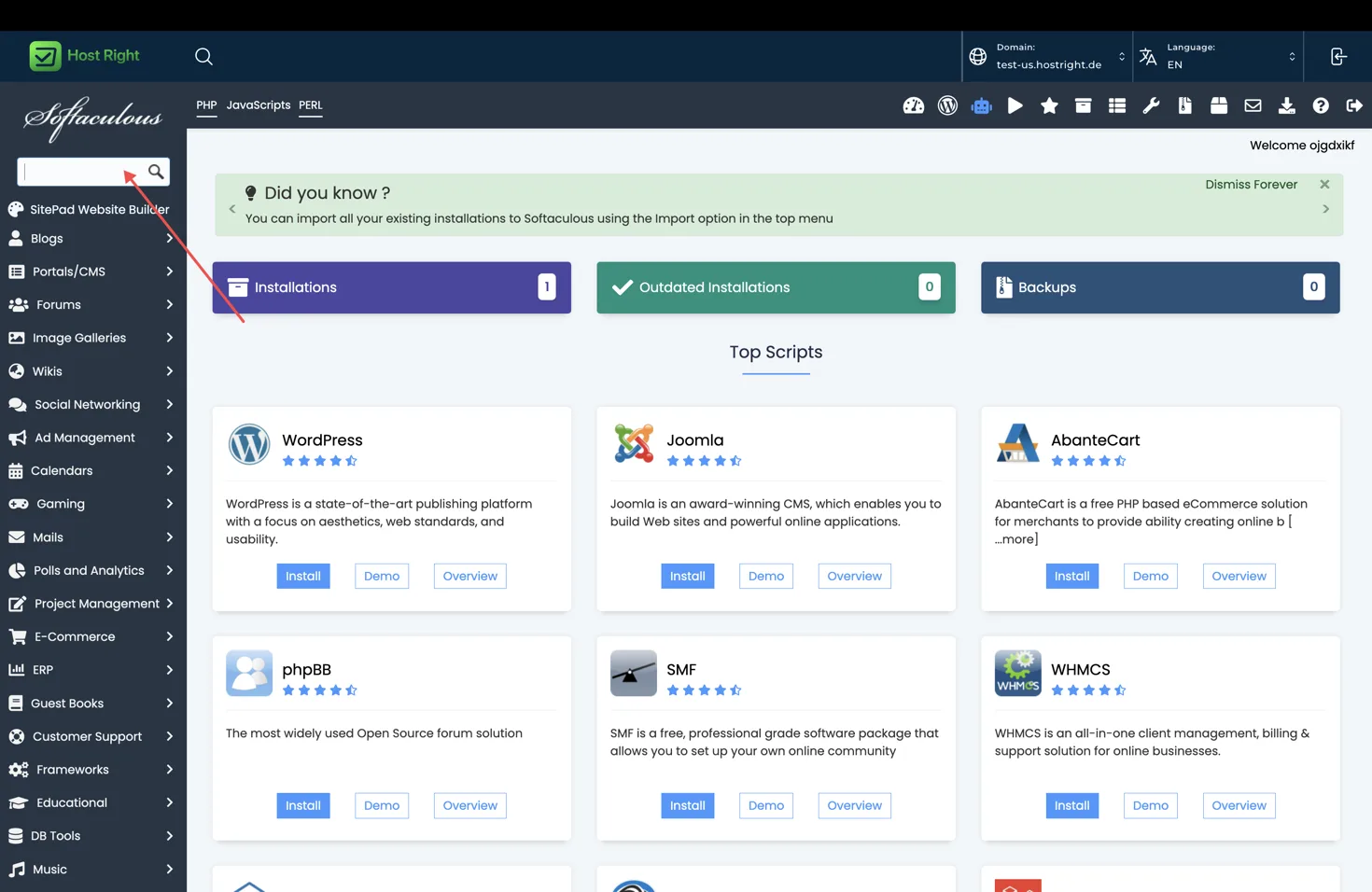
The application pages below explain the important settings for each type. Always confirm the supported PHP version, storage requirement, database engine and application documentation before installation.
Before installing
- Point the domain or subdomain to HostRight.
- Issue SSL or plan to enable it immediately after DNS resolves.
- Decide whether the application belongs at the domain root or in a directory such as /blog.
- Create a strong administrator password.
- Keep the installation directory separate from unrelated applications.
- Confirm that the plan has enough storage for the application, database, backups and uploads.
- Enable backups before making major changes.
After installation
Open the displayed URL and administrator URL, change any default settings, remove sample content, install updates, and verify email delivery. Use the hosting database tool for database access, the file manager or SFTP for files, and the application's own update screen for application-level maintenance.
Explore application types
- Websites: WordPress, WooCommerce, Joomla and Open Real Estate
- Stores: PrestaShop, AbanteCart and Dolphin
- Communities: phpBB, MyBB, SMF and Moodle
- Teams: Nextcloud, Feng Office and LimeSurvey
- Business: Invoice Ninja, Akaunting, Dolibarr and Kimai
- Growth: Matomo, Mautic, SEO Panel and Wallabag
- Administration: MyWebSQL